
The guide / Premium A+
Premium Background Image w/ Text
Premium A+Seen in the editor previewAnywhere in the Premium stack; full content width.
| Control | Options (default bold) | Desktop | Mobile |
|---|---|---|---|
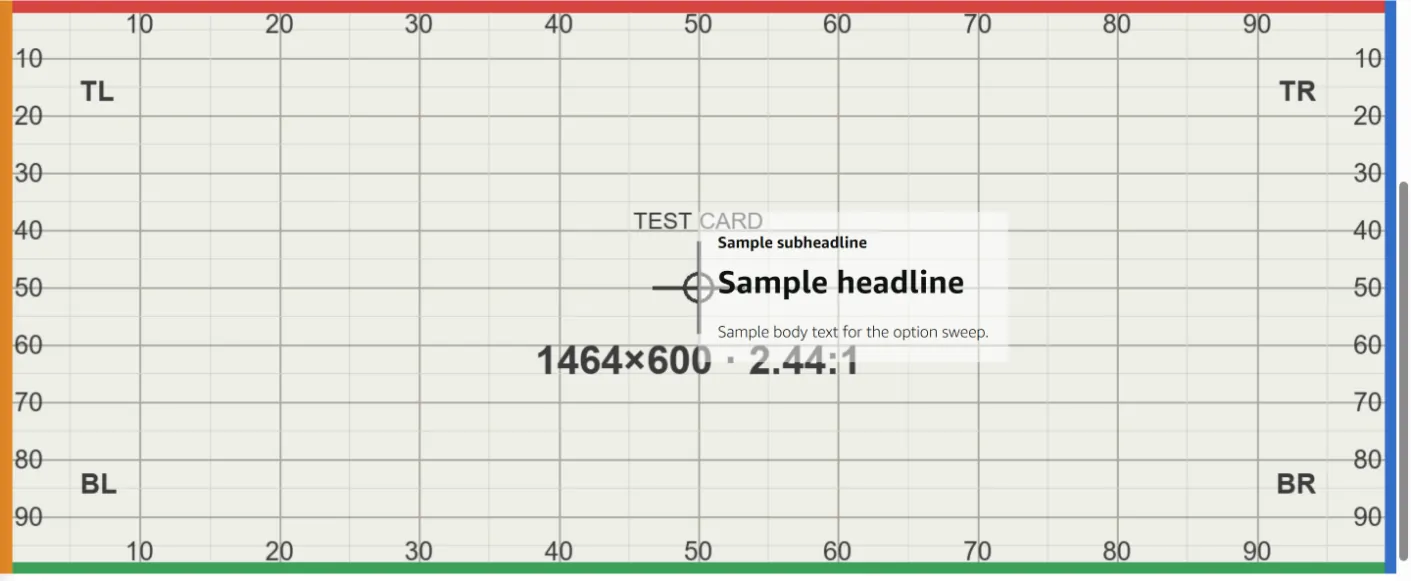
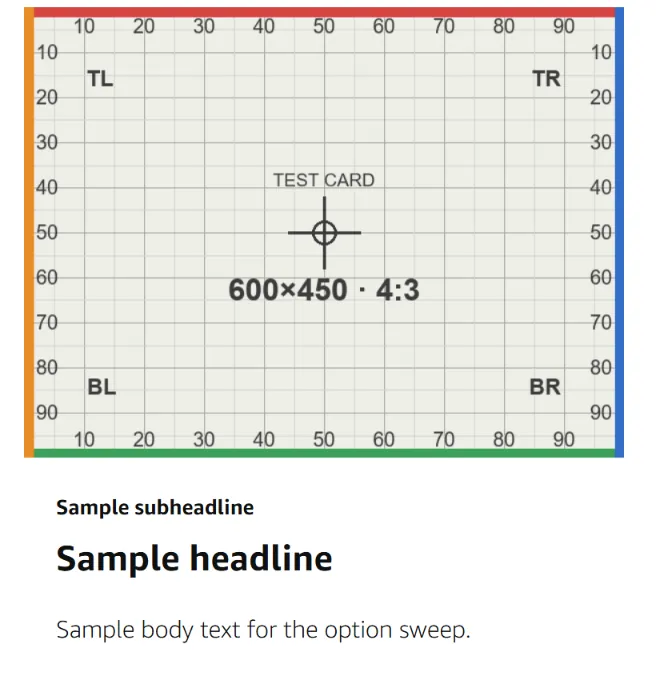
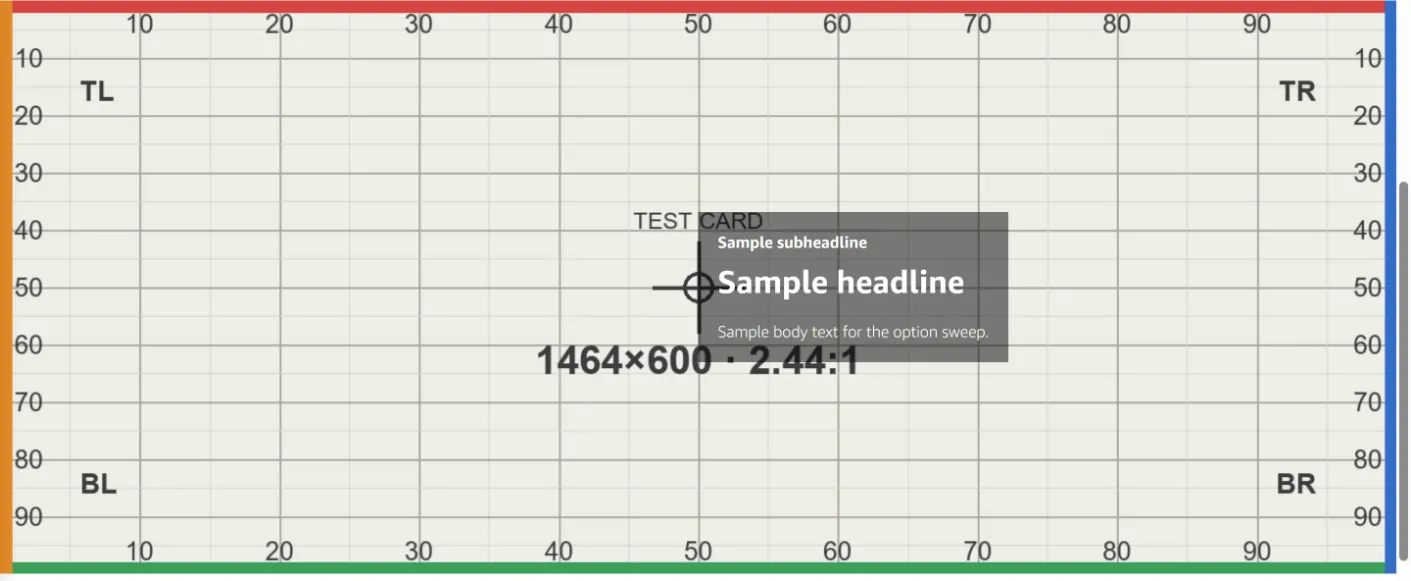
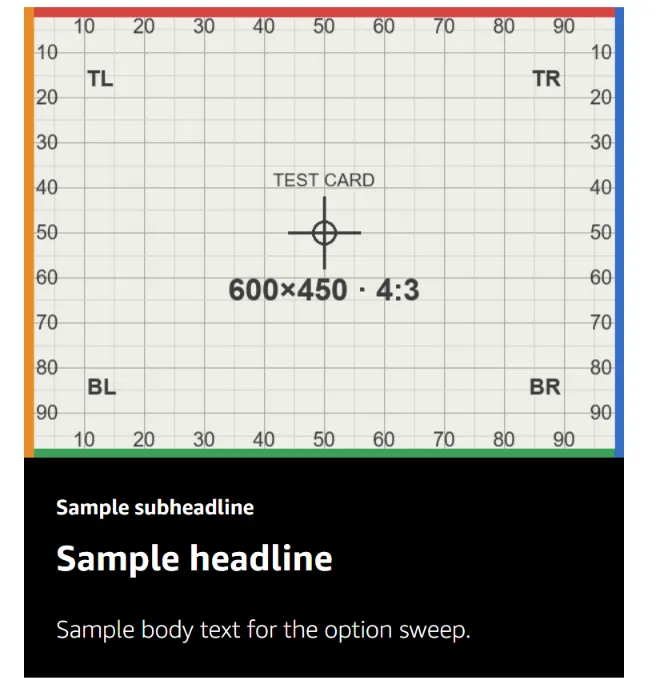
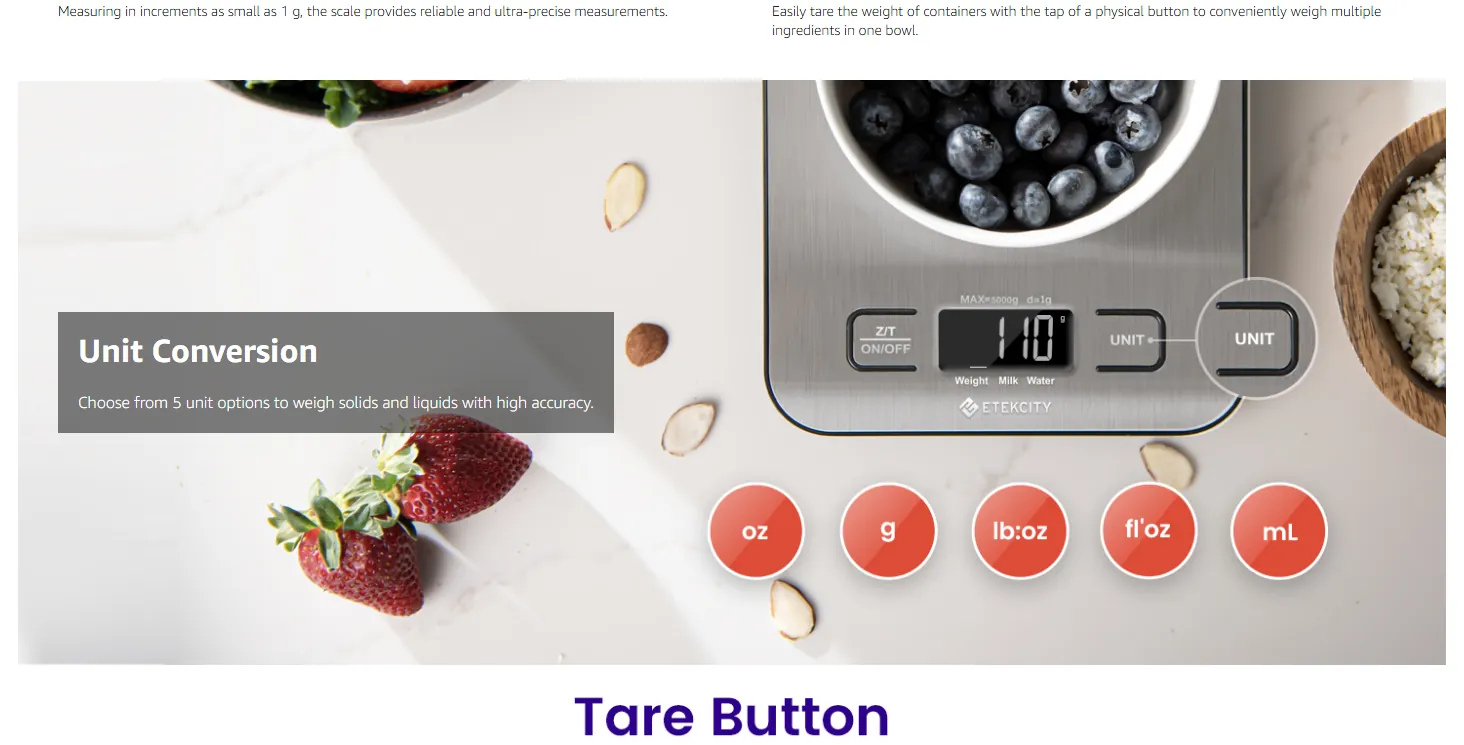
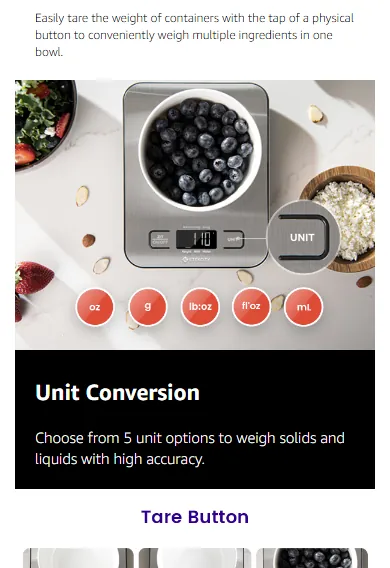
| Subheadline · Headline · Body | all optional; Body rich text (B / I / U / bullets / numbers) | In a translucent panel over the image, vertically centred (≈ 37–63% H) | Below the mobile image, in a band — never over it |
| Text position toggle | text left · text right | Left: panel ≈ 3–25% W · Right: panel ≈ 50–72% W — it starts at the centre line, not at the right edge | No effect |
| Font color | white · black | White = translucent dark-grey panel, white type · Black = translucent white panel, black type | White = black band, white type · Black = white band, black type — the font colour switches the band |
| Background image — dialog | two slots, both required: desktop + mobile, each with Alt text and rotate / zoom crop tools | The whole desktop file, every band intact | The separate mobile file, then the text band |
| AI Ready · Select content to generate | badge + button | not tested | — |
Text Amazon's face; colour limited to the two swatches. Meters: counter once typing; blocking not recorded.
Cropped or covered no crop on either breakpoint. Desktop: the panel covers ≈ 3–25% W (left) or ≈ 50–72% W (right) across ≈ 37–63% H — a panel, not just the type. Mobile: nothing covered; the text sits in its own band.
Good to know "text right" is a centre-right panel, not a right-edge one. Live, about 1 in 6 instances fill the text fields (6 of 36 across two crawls); the rest render as a Full Image. The live Etekcity mobile file was a different crop (product centred) from its desktop file.
The editor form 1
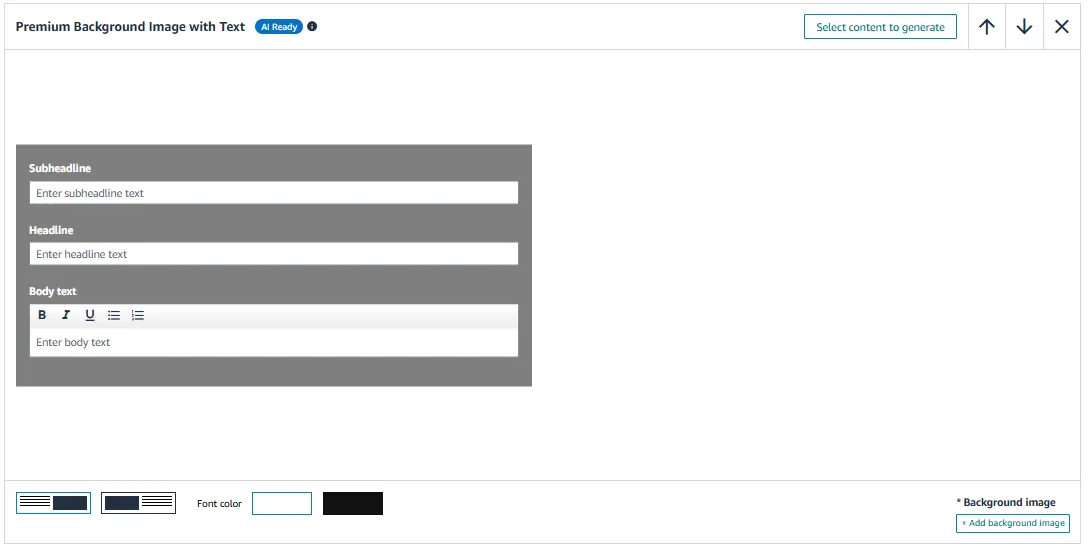
Option by option, in Amazon's preview 7
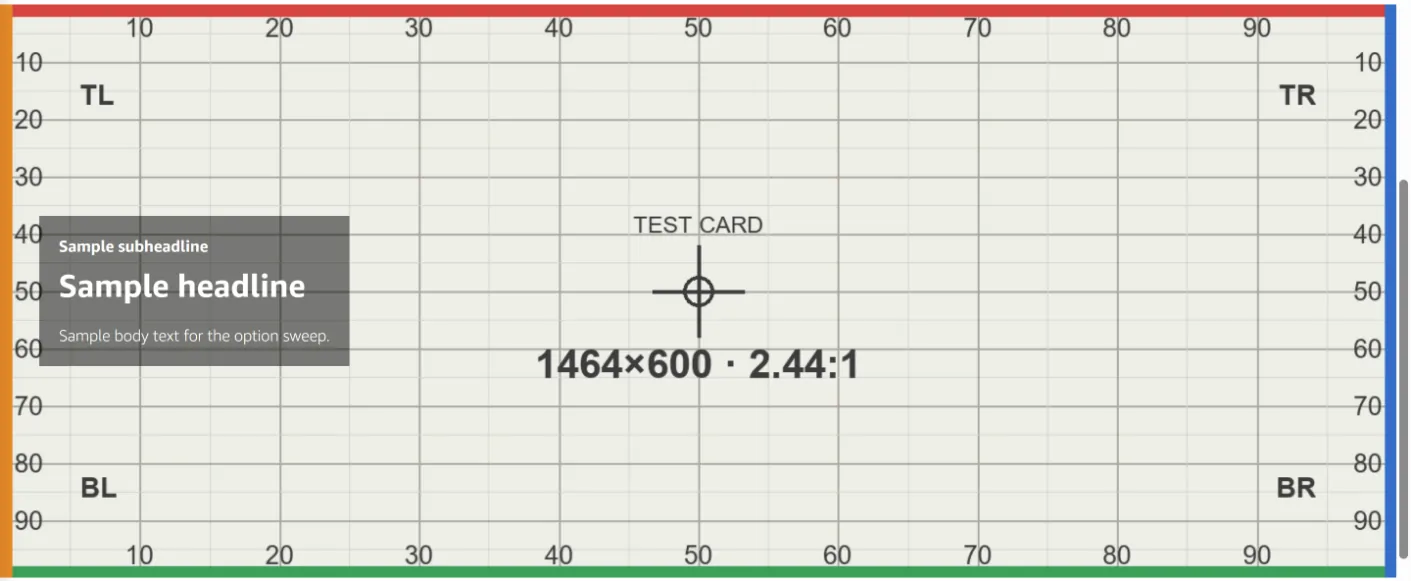
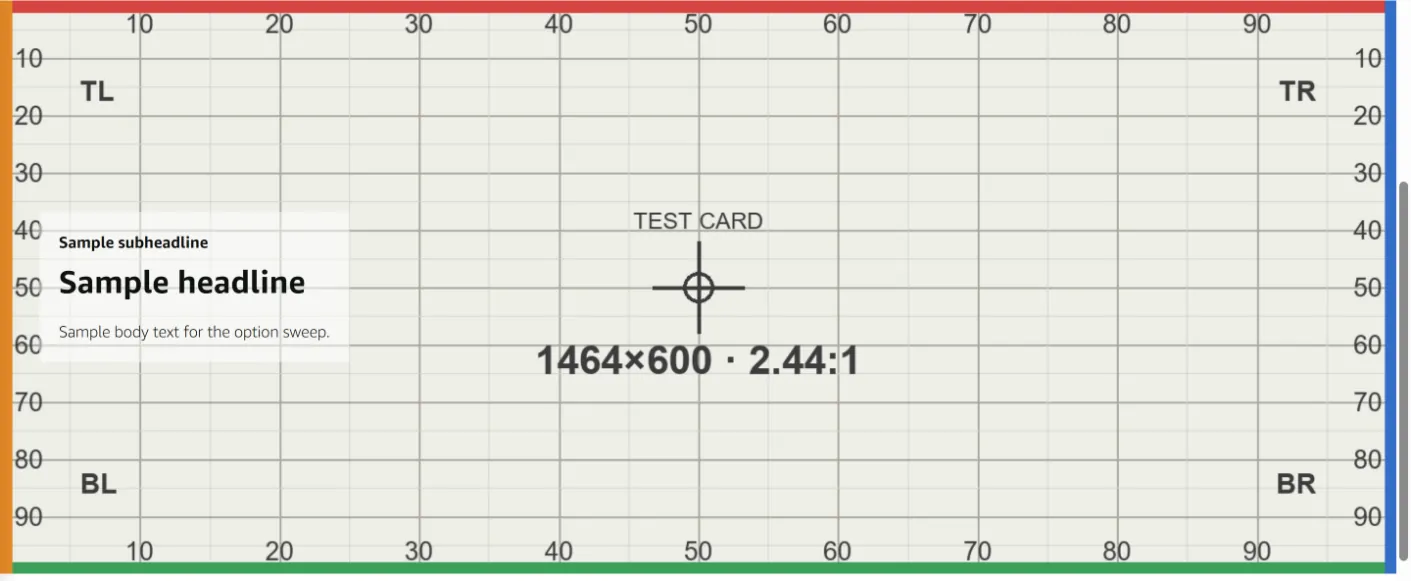
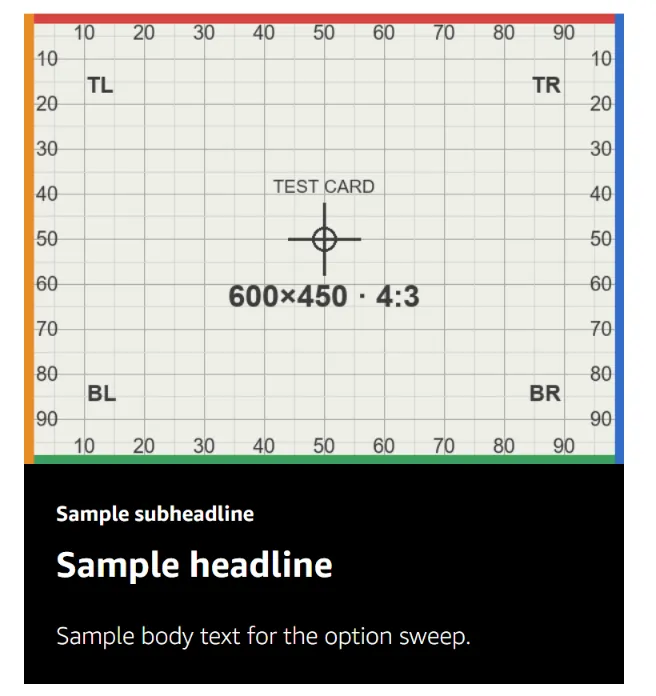
Live on amazon.com 2
This is one of 59 entries
The full guide has every A+ module, Brand Story card and Brand Store section, with the same detail.
Get the full guideAn unofficial guide, not affiliated with or endorsed by Amazon. Amazon, A+ Content and Brand Stores are Amazon's. Amazon changes its editors without notice; every entry carries the date it was last checked.
Sizes, file rules and character limits are not covered here. Check them in Seller Central before you upload.